

Prerequisites
Make sure you have the following things checked:- A valid GravityBlogs account with subscription (Signup here)
- A WordPress website hosted on a domain
- Dataset for your niche in CSV format (check Google dataset search to find dataset for your niche)
- REST API enabled on your WordPress website (by default, REST APIs are enabled, but a security plugin may block your WordPress REST API access)
What are we going to do?
In brief, we will do the following things:- Connect our WordPress site to GravityBlogs
- Create a new campaign
- Fill the content template in our campaign
- Publish the campaign
Each step is further divided into multiple sub-steps. Please make sure to follow them properly.
Step 1: Connect your website
In this step, we will connect our WordPress website to GravityBlogs. Watch the following video or read through the steps below.1
Go to your dashboard
When you first log into GravityBlogs, you will see something like this: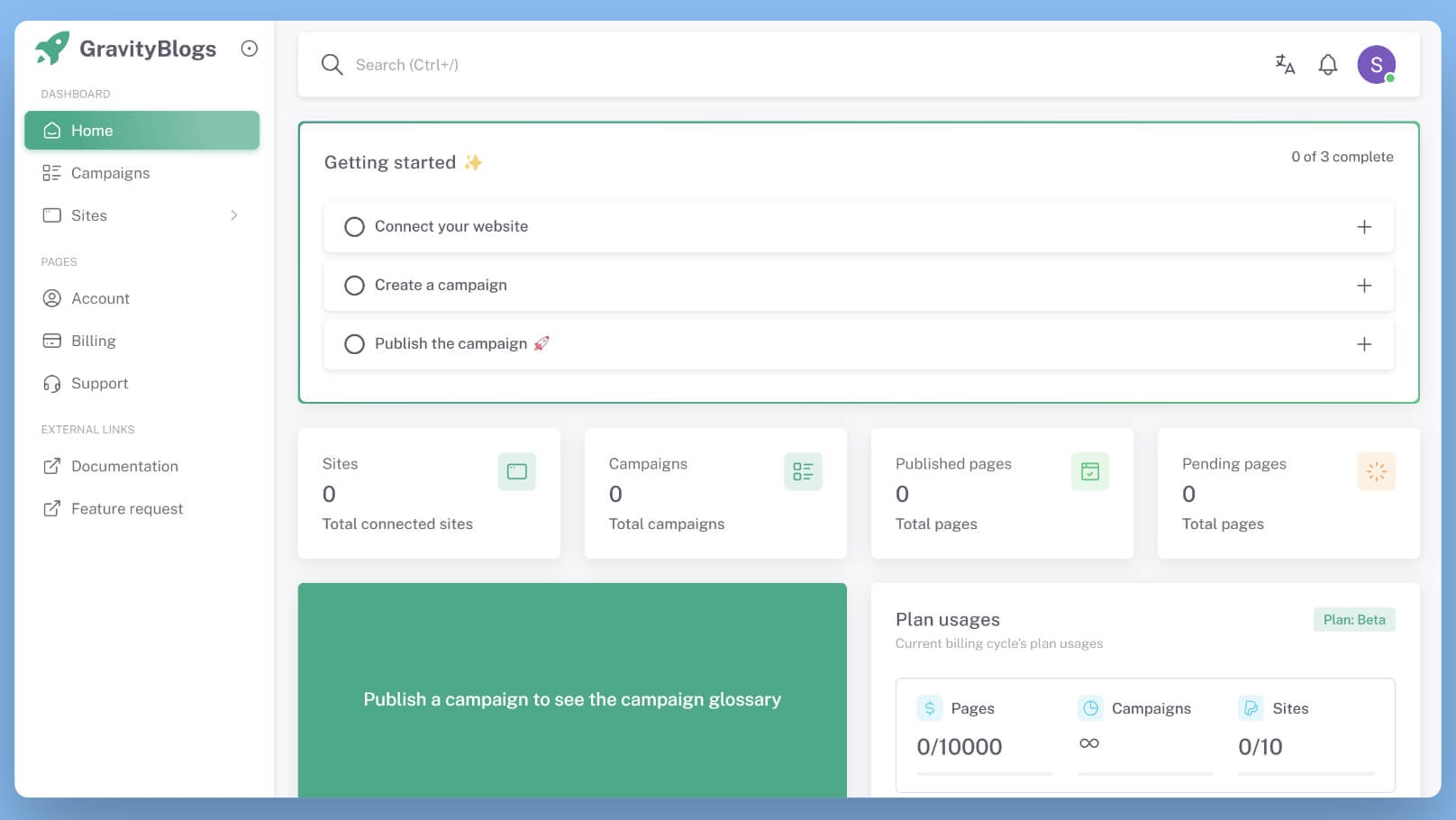
2
Click on Add new site
From the Sites menu, click on Add.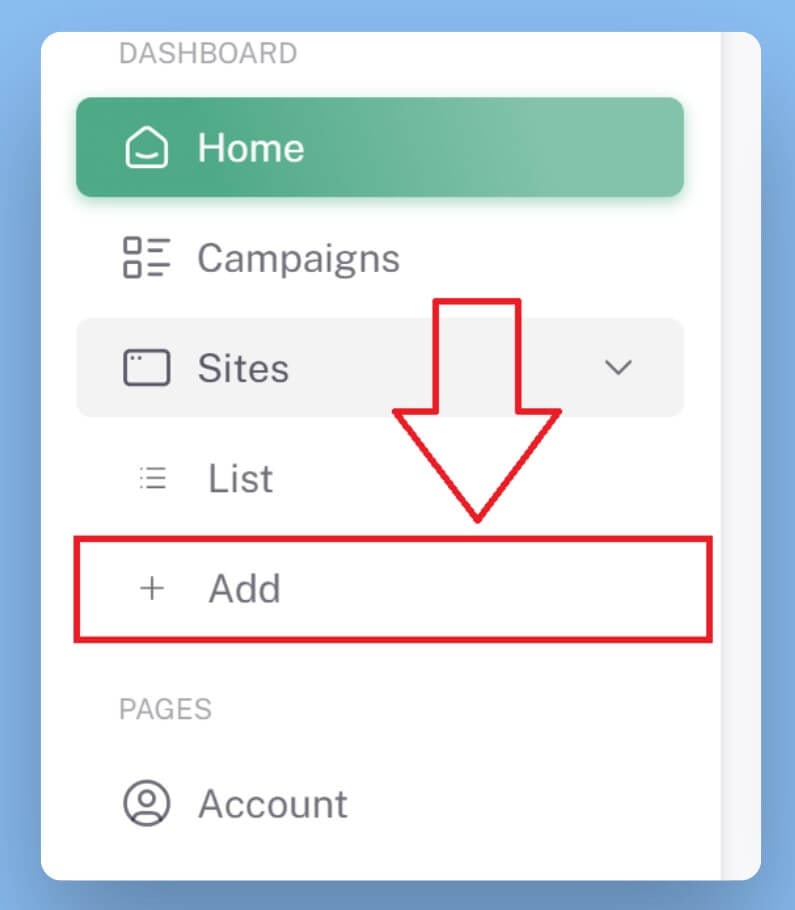
3
Select WordPress as your CMS
You will see a list of CMS. Select WordPress and click Next.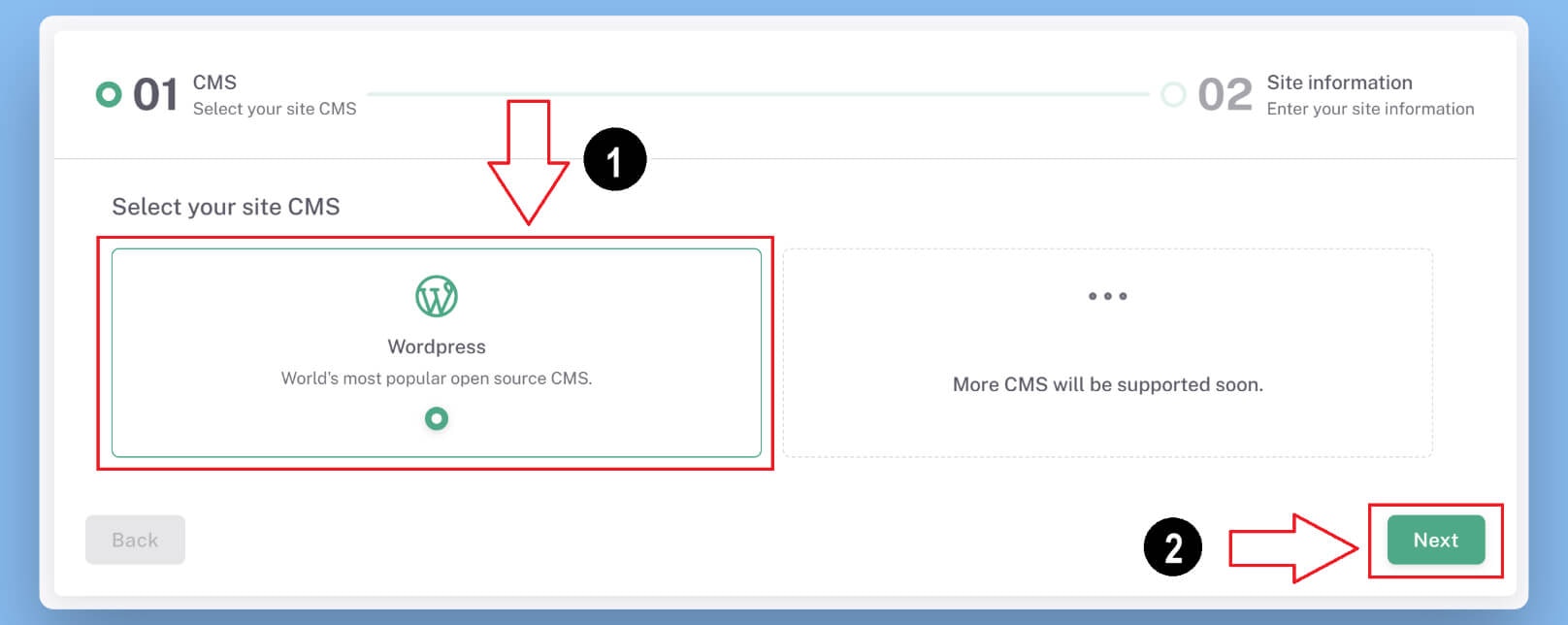
4
Enter your WordPress site details
Fill all the required details in the form and click Verify & Add to connect your website.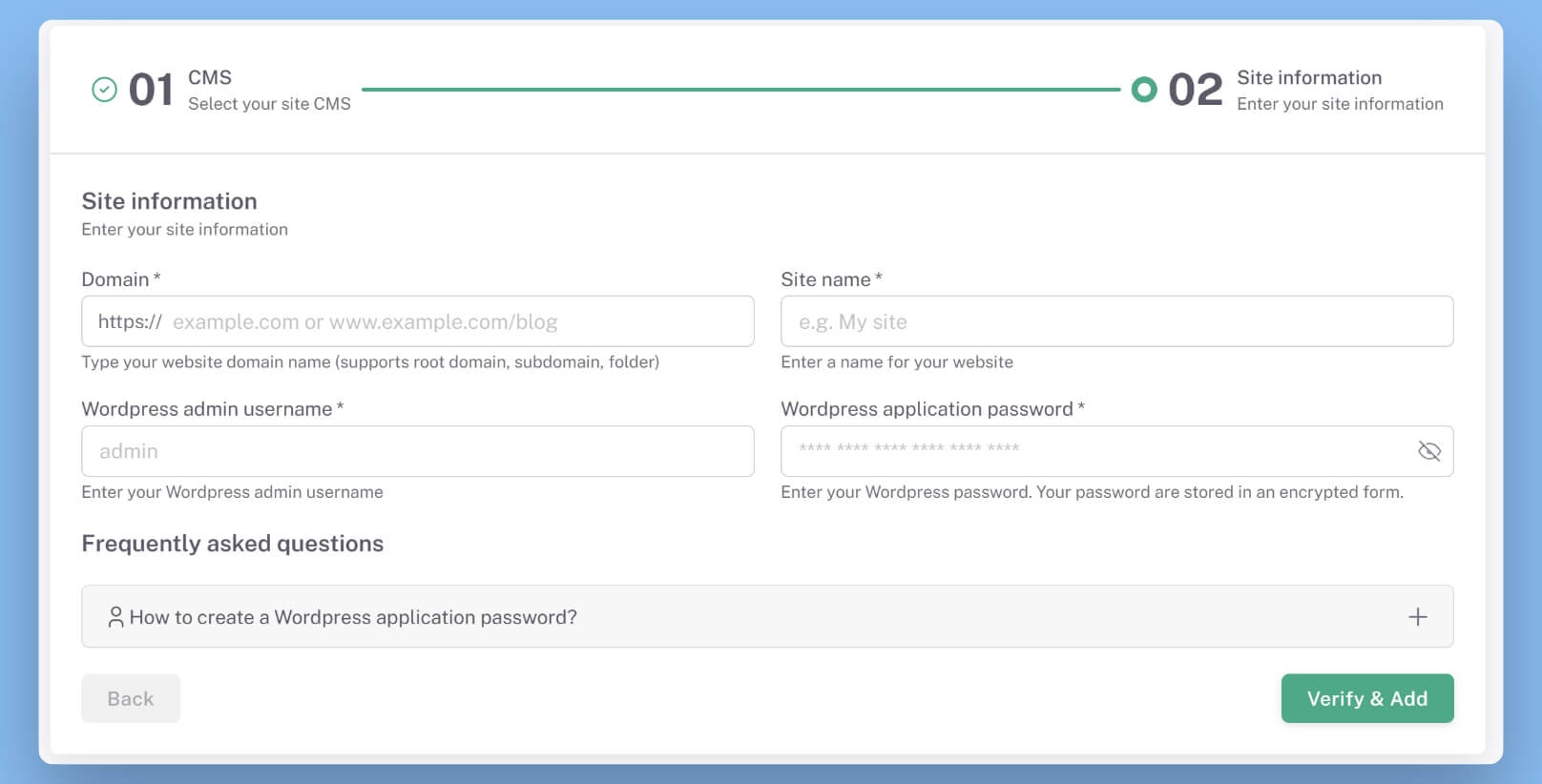
Step 2: Create a campaign
In this step, we will create a new campaign for our connected WordPress site.1
Go to campaigns
From the dashboard, click on the Campaigns menu.
2
Create a new campaign
Click on Create new campaign button. A form will open up.Enter a campaign name and select our newly connected site.
Step 3: Content template
In this step, we will create content template for the newly created campaign.1
Upload a CSV dataset
After our campaign has been created, we need to upload a dataset for Programmatic SEO. Upload a dataset if you
already have one, else check
Google dataset search to find a dataset for your niche.
2
Create your content template
It’s time to create our content template.
Enter all the required details for the content template and use template variables and AI prompt box to
dynamically generate the content.
3
Set content generation schedule
Once you are good with the content template, click Next and you will be taken to the schedule options.Here, you can define schedule settings for your campaign. Based on these settings, your campaign will generate
and publish content to your website.
Step 4: Publish campaign
In this step, we will publish our campaign.1
Publish the campaign
Once you have filled all the required content template data, the campaign is ready to be published.Simply hit the Publish button and your campaign will be live instantly.
Based on your publish frequency, content will be generated and published directly to the WordPress site.
2
Finished
Congratulations 🎉You have just published your campaign. Now you are ready to rock the Programmatic SEO world.
Further reading
- Check out the Guides & Tutorials series
Troubleshooting
If you are facing problems with any of the steps, please check the following troubleshooting guides:Troubleshoot WordPress integration
Facing issues with WordPress connection?
Troubleshoot Campaign
Facing issues with your campaign?